ClickUp implementation for training planning at iControl Agressie
ClickUp implementation for training planning, availability, and team coordination within one central working environment.
What is currently being built
The focus here is on product direction, the chosen foundation, and the parts currently being developed toward a first solid release.
Skills
Technologies
Project overview
This project focuses on the implementation of a central ClickUp environment for iControl Agressie. The organisation runs multiple training sessions each week and works with planners, trainers, actors, and business clients who all need different information and different levels of access.
The goal is to structure day-to-day planning in one system. That includes training schedules, team availability, invitation flows, briefing documents, and client information. From a business perspective, that matters because the previous way of working depended heavily on manual coordination and was spread across separate tools.
Collaboration
In projects like this, most of the operational knowledge sits with the people doing the planning every day. They know where coordination slows down, which information arrives too late, and which parts of the workflow create unnecessary repetition.
The main contribution here lies in translating that process into a practical ClickUp setup, with suitable permissions, automations, and documentation. Because the project is still ongoing, it also makes sense that the setup continues to be refined based on real use and the technical limits of the platform.
The problem behind the project
At the core of the assignment is a practical operational problem: training sessions need to be planned with the right people, at the right time, and with the right supporting information, without forcing planners to keep relying on loose spreadsheets, inboxes, and paper files.
A standard setup would likely not be enough here, because the process involves different user types and access rights need to remain clearly separated. The solution also has to account for the limits of guest access, visibility of related information, and the practical way invitations and briefings are shared.
What was delivered
- Translation of the existing way of working into a digital process structure
- ClickUp setup with separate spaces for Planning, Team Members, Clients, and Documents
- Lists for quarterly planning, personal availability, and personal invitation flows
- Status models for trainings, availability, and invitations
- Automations for reminders, follow-up, and communication
- Guest roles for trainers and actors with limited permissions
- Structure for client records, locations, and contacts
- Documentation and guides to support onboarding and daily use
Technical implementation
- ClickUp Business as the core platform, extended with Microsoft Outlook for calendar visibility
- Separation between operational planning, staff data, client relationships, and documents in dedicated spaces
- No custom application layer, but a setup built around ClickUp lists, custom fields, statuses, templates, relationships, and automations
- A one-way sync from ClickUp to Outlook, chosen as a more stable alternative to two-way synchronisation
- Reusable templates for personal lists and a fixed structure for adding new team members
- Permission setup per role, with planners and administrators at the centre of the workflow
Challenges
- The setup had to work for internal planners as well as external or restricted users such as trainers and actors
- Not every ClickUp feature is equally usable for guest users, which directly affects the information architecture
- Calendar integrations and briefing sharing needed to be practical without depending on unstable or unclear functionality
- The environment has to be well structured while still staying fast enough for daily operational use
- Because the setup is still being refined, decisions need to work now and remain manageable later
Result
At this stage, the result is best understood as a growing operational environment that lays the groundwork for more centralised training planning. The structure already makes clear how planning, availability, invitations, and documentation are intended to come together inside one system.
Because the implementation is not finished yet, this is not a case for strong post-launch claims. What is clear already is the direction of the setup: more overview for planners, less manual chasing, and a workflow that depends less on scattered tools and personal routines.
Reflection
This case shows well that digitalisation does not always start with custom software. In many organisations, the first real gains come from structuring process, roles, and information properly within an existing platform.
The strength of the approach here is that it stays close to daily practice. Rather than reinventing everything, it builds a way of working that is usable for planners, workable for trainers and actors, and structured enough to support further growth.
Inspired by this project?
If you see similar friction or growth potential in your own business, we can translate this into a practical roadmap for you.
Other projects
 Platform
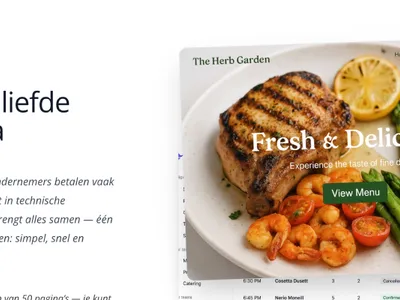
 Nomly platform for restaurants in development
Platform for restaurants that combines website management, CMS, reservations, and marketing tools in one central environment.
 Platform
 AA-DAK quotation calculator for costing and quotation management
Web application for calculations, pricing control, and quotation output that replaces an Excel-driven workflow.
 Platform
 Moving Up with the Stars HR platform in development
Platform for onboarding, employee development, and performance management within a multi-tenant HR environment.